
GitStudio extension · VS Code & Cursor · v1.12.1
The full Git workflow in VS Code and Cursor.
One extension that puts the full Git workflow in your editor: a commit graph, inline blame, hunk and line staging, a three-pane merge editor, interactive rebase, worktrees, and GitHub pull requests. 116 commands across five sidebar views. Free and open source.

GitStudio
gitstudioVerified publisherThe whole Git workflow, in one extension
- VS Code
- Cursor
- VSCodium
- Windsurf
- code-server
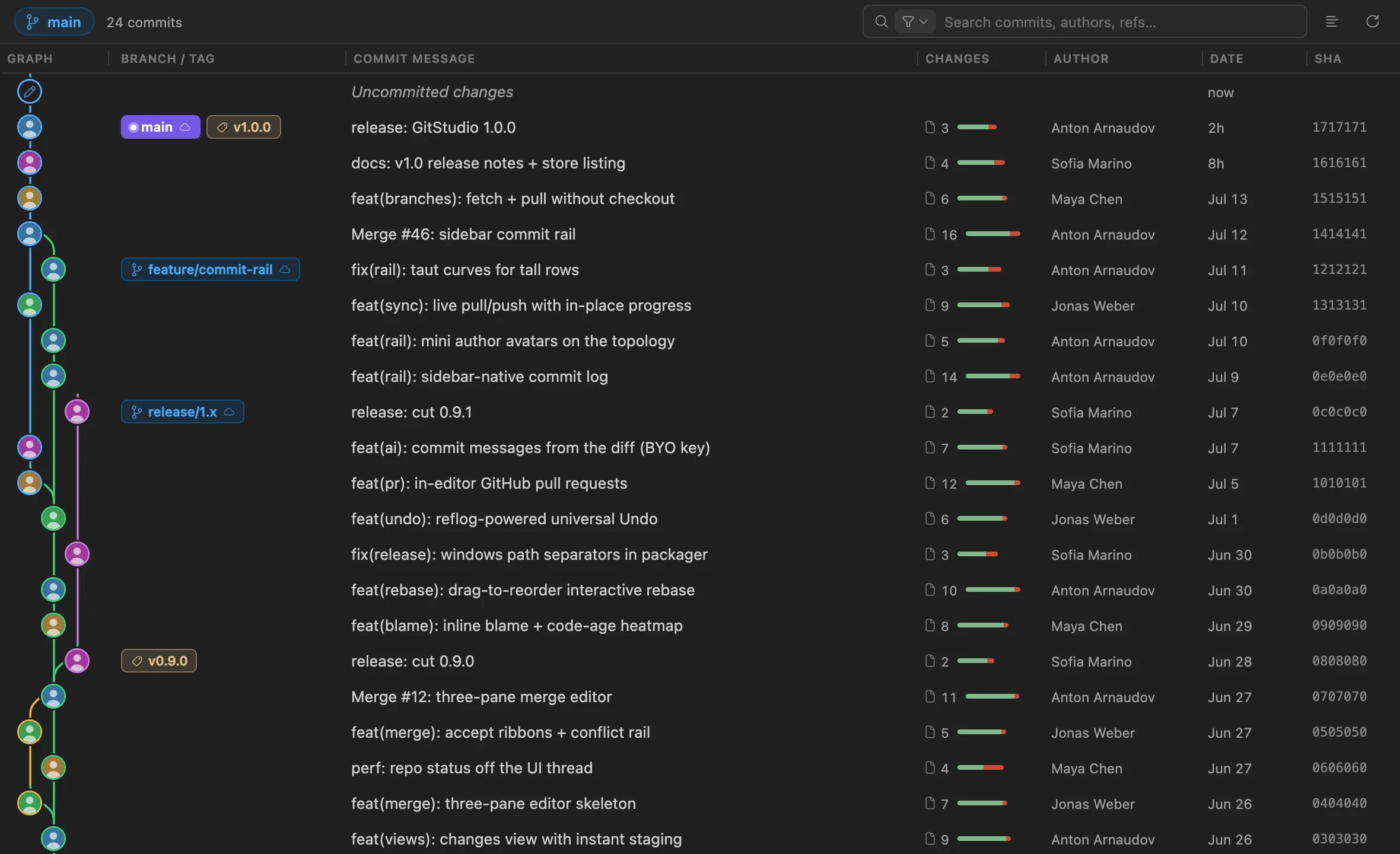
The graph component that ships in the extension, rendering this repo's history. Scroll and click through it.
Six pillars
What the extension does.
Visualize
Understand any repo at a glance.- Virtualized commit graph — fast at tens of thousands of commits, with colored lanes, ref chips, and keyboard navigation
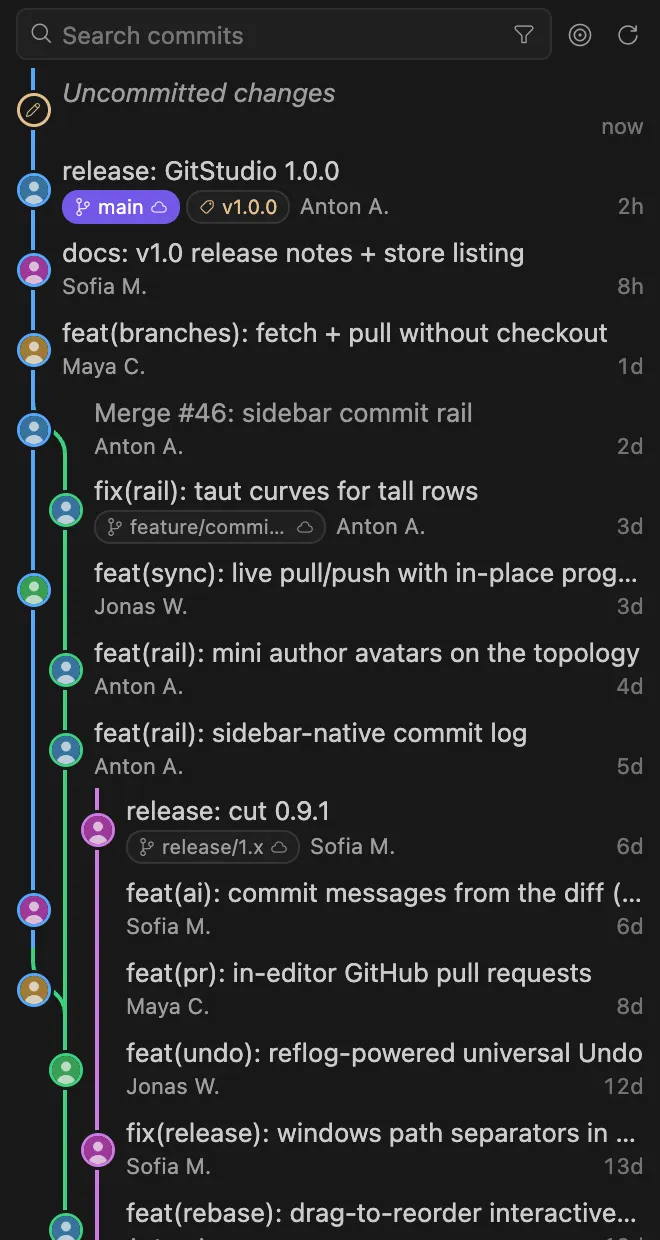
- Sidebar Commits view: compact topology, author avatars on the nodes, search by message · author · SHA · refs
- Inline blame + full-file annotations with a code-age heatmap
- File history, line history, revision stepping, reflog time-machine
Change
Stage and commit with precision.- Hunk- and line-level staging from any editor or diff
- Side-by-side and unified diffs with word-level highlighting
- Three-pane merge editor with one-click accept ribbons — conflicts auto-open as they appear
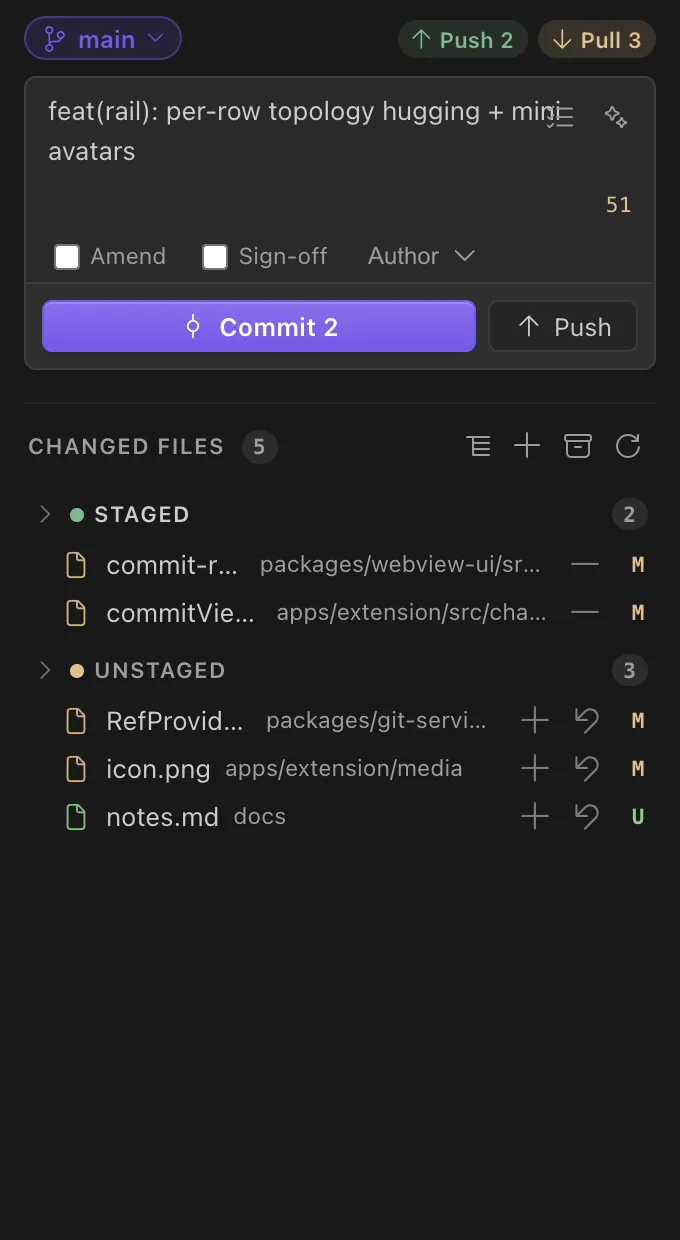
- Guided commit box: amend, sign-off, author override, Commit & Push
Rewrite
Rewrite history without losing it.- Drag-to-reorder interactive rebase: pick · reword · edit · squash · fixup · drop
- Universal Undo — a reflog snapshot before every destructive op, one command to reverse it
- Pushed history falls back to a safe revert; force-push uses
--force-with-lease
Manage
Branches, remotes, tags, worktrees.- Branches, remotes, tags, stashes, worktrees — five views, full operations
- Branch compare: ahead/behind, commits between refs, changed files as native diffs
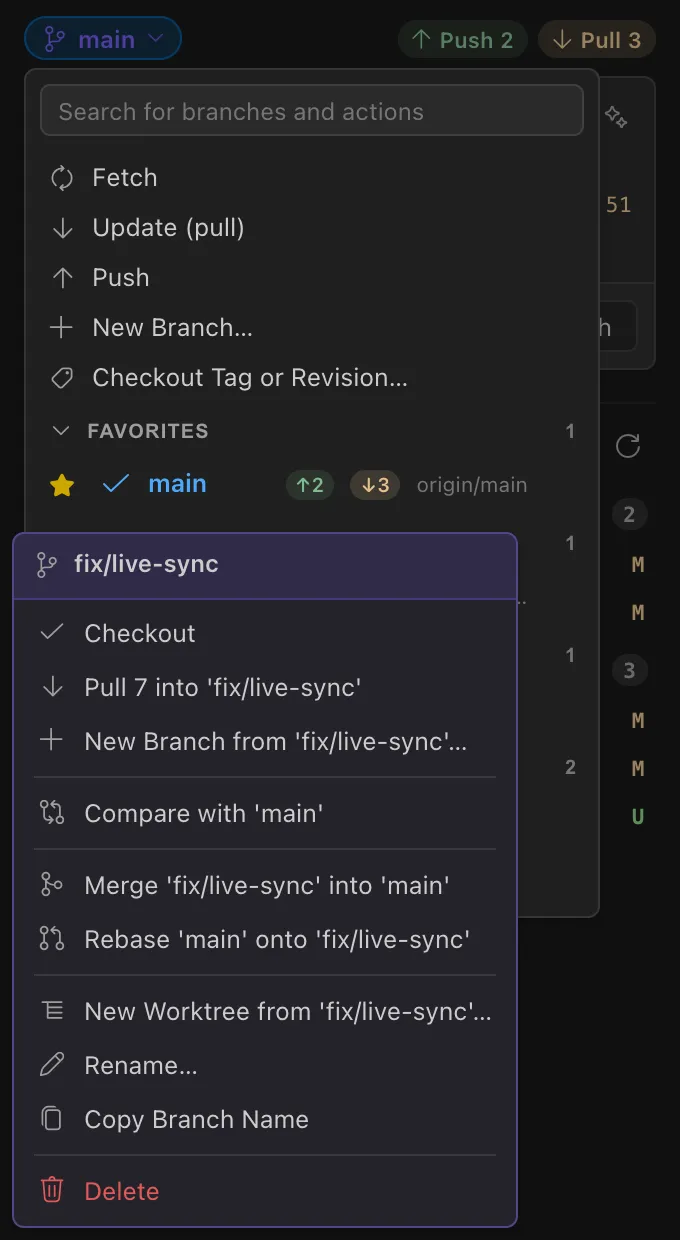
- Live sync: push/pull from the status bar and Changes header, per-branch ↑↓ badges
- Pull a branch without checking it out — fast-forward straight from its submenu
Collaborate
GitHub PRs without the browser.- List, open, and check out pull requests from the sidebar
- Review with inline comments and submit — approve, comment, request changes
- Create and merge PRs in-editor, with the GitHub sign-in your editor already has
Assist
Optional AI. Your keys.- Commit messages drafted from your staged diff — the ✨ button in the commit box
- Explain-this-diff and change summaries on demand
- Bring your own Anthropic key, or go zero-key via GitHub Copilot's model
- Off by default — and it never gates or breaks a Git operation
Straight from the product
The extension in use.
The Commit Graph panel and the sidebar views of the GitStudio extension.
Ambient history
Inline blame and a code-age heatmap.
Authorship on the current line and in the status bar, always. Turn on full-file annotations and every line carries its author, age, and commit — with a code-age heatmap in the gutter: recent changes run warm, old code cools down. Hover any line for the commit, the diff, and one-click actions; step a single line through every revision with line history; and recover from the reflog time-machine the day a branch simply vanishes.
Muscle memory
Every command under one chord.
Every GitStudio shortcut lives under a single conflict-free chord —Ctrl+Alt+G (Cmd+Alt+G on macOS), then a letter. In the commit box, Enter commits. All bindings are remappable.
Install
Install for your editor.
Search “GitStudio” in your editor's Extensions view, or grab the exact command below. Requires VS Code 1.78+ (or any editor built on it) and git on your PATH. Prefer an artifact? The download page has the VSIX with a SHA-256.
GitStudio in VS Code
MarketplaceSearch “GitStudio” in the Extensions view, or run:
code --install-extension gitstudio.gitstudioGitStudio in Cursor
Open VSXCursor installs from Open VSX. Search “GitStudio” in Extensions, or run:
cursor --install-extension gitstudio.gitstudioGitStudio in VSCodium
Open VSXVSCodium installs from Open VSX. Search “GitStudio” in Extensions, or run:
codium --install-extension gitstudio.gitstudioGitStudio in Windsurf
Open VSXWindsurf installs from Open VSX. Search “GitStudio” in Extensions, or run:
windsurf --install-extension gitstudio.gitstudioGitStudio in code-server
Open VSXInstall from the Extensions view (code-server reads Open VSX), or from a shell:
code-server --install-extension gitstudio.gitstudio