
A three-pane editor for merge conflicts.
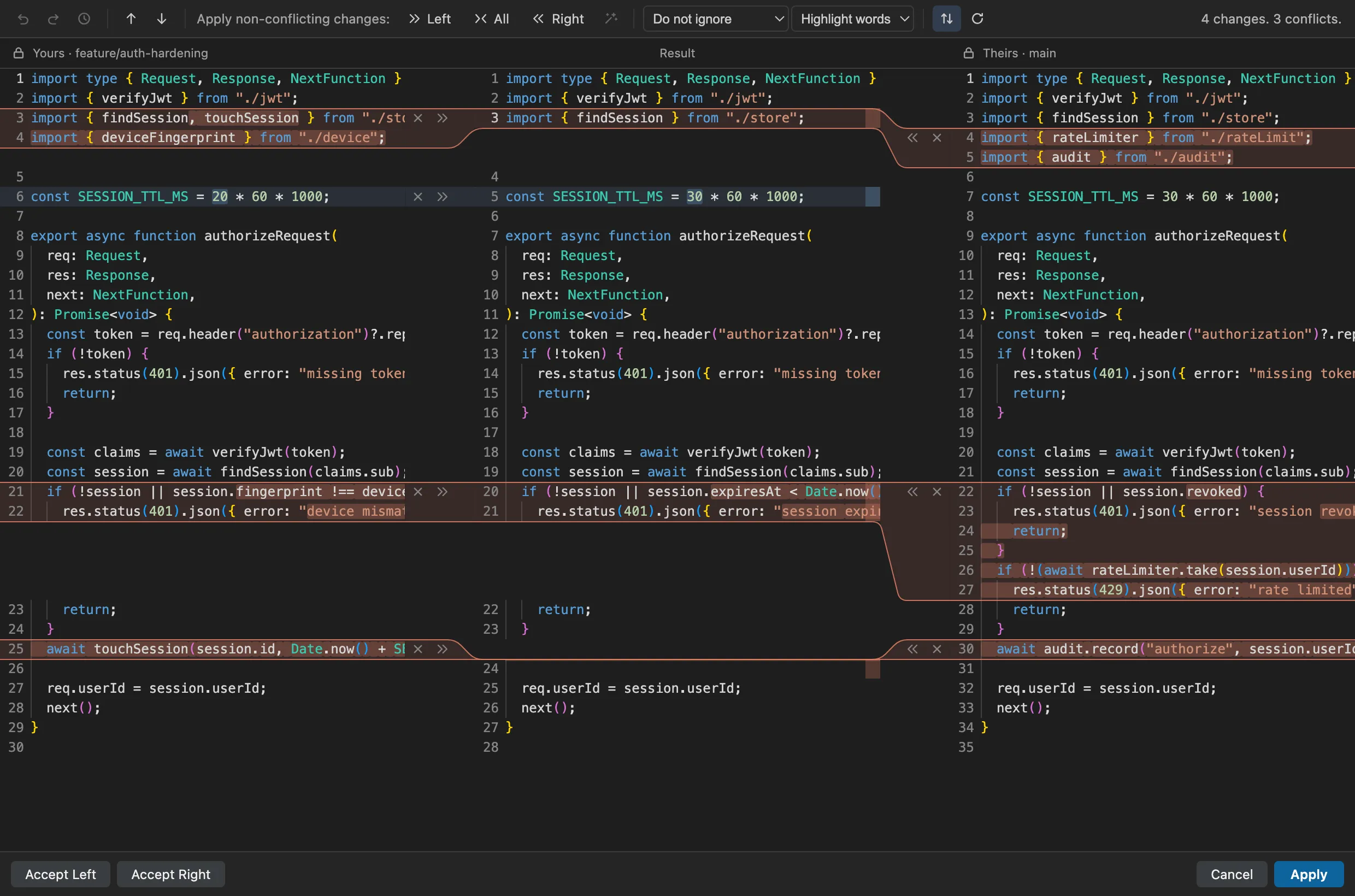
Yours, result, and theirs, side by side, with color ribbons and one-click accepts. A conflict opens the editor automatically, and a named undo history lets you step back through every decision you make.

Merge Studio★★★★★ 5.0
gitstudioVerified publisherThree-way merge & conflict editor
- VS Code
- Cursor
- VSCodium
- Windsurf
- code-server
What you get
What Merge Studio does.
Three panes, zero guessing
Yours, result, theirs — side by side with color ribbons and one-click accept arrows connecting them. You always see where a change came from and where it lands.
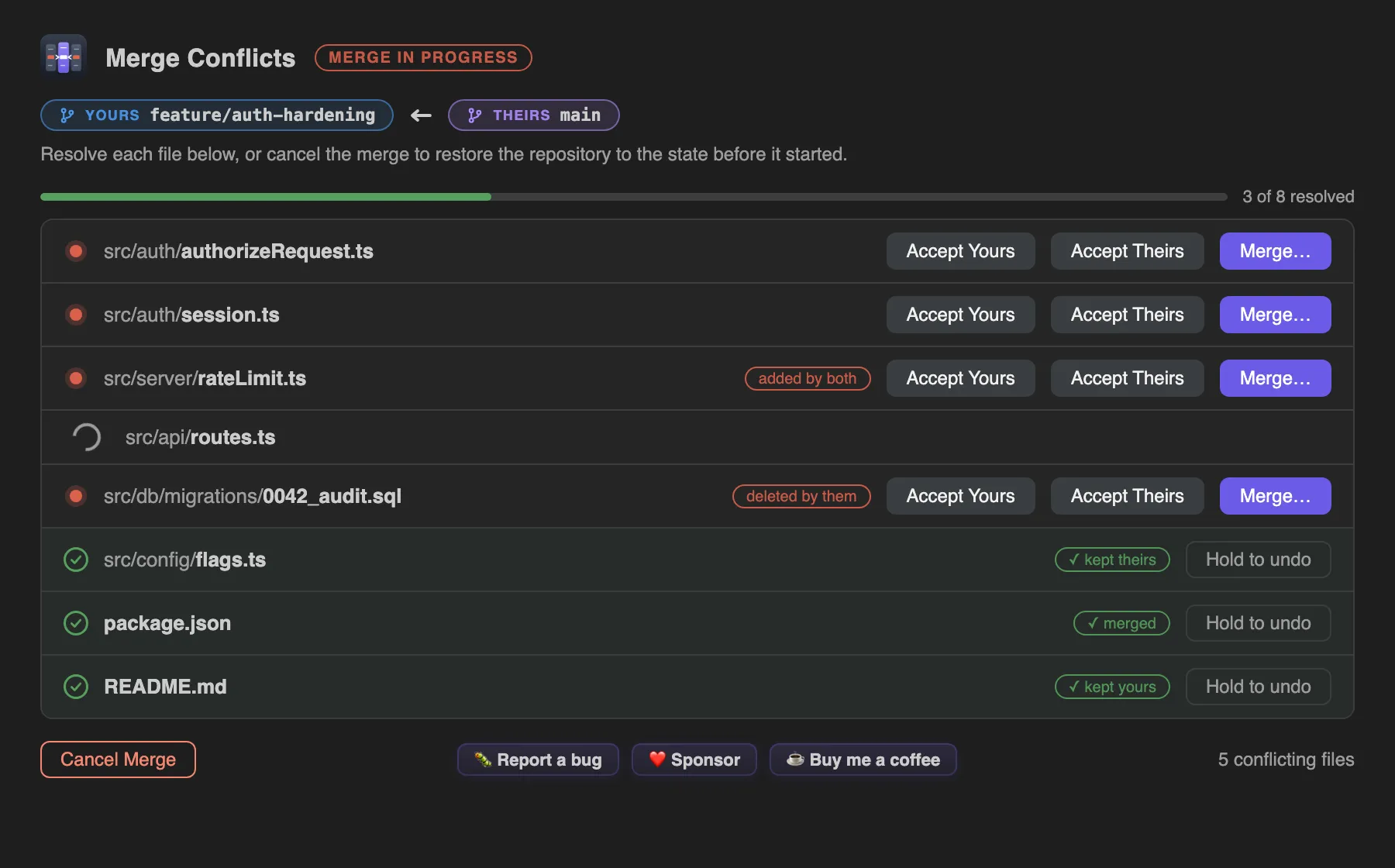
A conflicts dashboard
Every conflicted file tracked automatically, with per-file resolution actions. No hunting through the file tree while a merge is half-done.
Undo that remembers names
A named undo/redo history for the whole resolution session. Step back through decisions, not keystrokes.
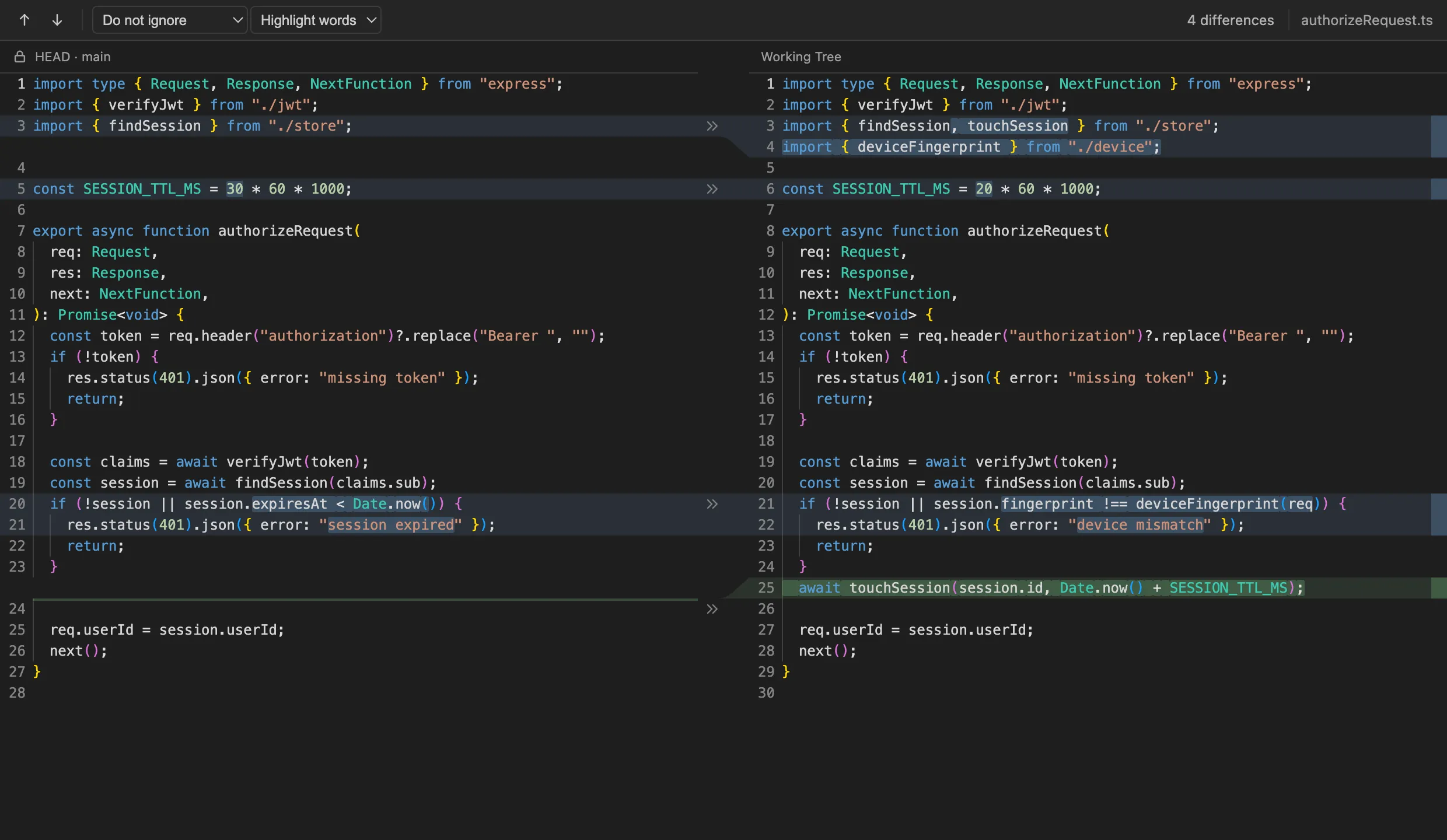
A precise diff
Side-by-side comparison with intra-line highlighting, change navigation, and a large-file fallback that keeps huge merges workable.
JetBrains hand-off
One click opens the same conflict in an installed JetBrains IDE — IntelliJ, WebStorm, PyCharm, GoLand, Rider, CLion, PhpStorm, RubyMine, DataGrip — for a second opinion.
Tiny and focused
Merge Studio does one job. It starts fast, stays out of your way, and works in VS Code, Cursor, VSCodium, Windsurf, and code-server. MIT licensed.
Mid-merge control
A dashboard that tracks every conflict.
A merge with nine conflicted files shouldn't live in your head. The dashboard tracks every conflicted file, what's resolved, and what's left — with per-file actions and a named undo history for the whole session. Abandon ship or continue, always knowing exactly where you stand.
- Conflicts auto-open as they appear — no hunting through the file tree
- Step back through decisions, not keystrokes
- Large files fall back to a mode that keeps huge merges workable
The diff
A side-by-side diff with intra-line highlighting.
Intra-line highlighting shows exactly which words changed, change navigation steps you through the file, and very large files fall back to a mode that stays fast.
Install
Install for your editor.
Search “Merge Studio” in your editor's Extensions view, or grab the command below. It's tiny — a few hundred KB — and MIT licensed.
Merge Studio in VS Code
MarketplaceSearch “Merge Studio” in the Extensions view, or run:
code --install-extension gitstudio.merge-studioMerge Studio in Cursor
Open VSXCursor installs from Open VSX. Search “Merge Studio” in Extensions, or run:
cursor --install-extension gitstudio.merge-studioMerge Studio in VSCodium
Open VSXVSCodium installs from Open VSX. Search “Merge Studio” in Extensions, or run:
codium --install-extension gitstudio.merge-studioMerge Studio in Windsurf
Open VSXWindsurf installs from Open VSX. Search “Merge Studio” in Extensions, or run:
windsurf --install-extension gitstudio.merge-studioMerge Studio in code-server
Open VSXInstall from the Extensions view (code-server reads Open VSX), or from a shell:
code-server --install-extension gitstudio.merge-studioThe origin story
Where GitStudio started.
Merge Studio came first — a single, obsessive answer to the worst five minutes of any workday. Its pure, unit-tested merge engine grew into @gitstudio/engine, the core that now powers the whole suite: the same three-pane editor ships in the GitStudio extension and in GitStudio Desktop. The products stay separate on purpose —they share an engine, not a listing.
Which one should I install?
Just want better merges? Merge Studio. It's tiny and does exactly that.
Want the whole workflow — graph, blame, staging, rebase, PRs, and the same three-pane merge? The GitStudio extension. You don't need both; GitStudio includes the merge editor.